Electronics Product Images

Product Photography AIBy Indian UGC Team11 min read

AI Electronics Product Photography for Indian Ecommerce

AI electronics product photography works best when approved photos of the real device remain the source of truth. Capture every sellable angle, port, control, included accessory, screen state, finish, and scale reference; use AI for controlled backgrounds and ad variations; then reject any output that changes the hardware, interface, compatibility, colour, dimensions, or included contents.

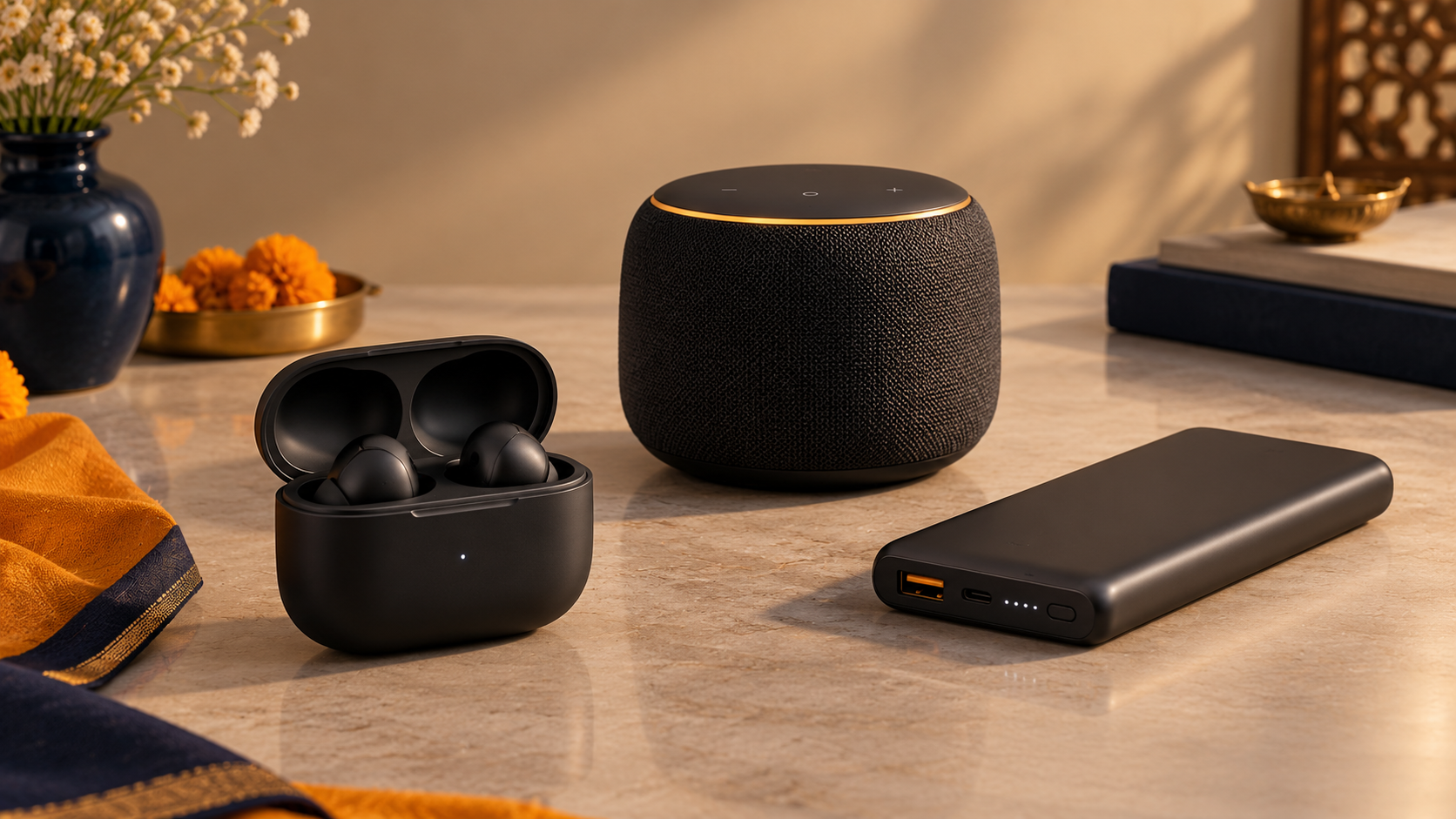
Wireless earbuds, smart speaker, and power bank arranged for AI electronics product photography

What is AI electronics product photography?

AI electronics product photography is a controlled workflow that turns accurate images of a real device into new backgrounds, crops, lifestyle scenes, and campaign layouts. AI may change the presentation, but the approved SKU must govern its shape, ports, buttons, screen, finish, accessories, dimensions, and claims. It is a variation tool, not permission to redesign the product.

Start with /blog/ai-product-photography-for-ecommerce-india for the wider PDP-to-ad workflow.

Create a clean reusable product layer with /blog/ai-background-remover-product-photos-india.

Use /blog/ai-product-photography-prompts-india when prompts keep changing ports, controls, or proportions.

Keep model names, specifications, prices, warranties, and compatibility in reviewed page copy rather than generated pixels.

What is the fastest safe workflow for electronics product photos?

Use a six-step workflow: approve the physical SKU, capture a complete source set, write a product lock, choose one image job, generate a small batch, and compare every output side by side with the device. The fastest decision rule is simple: use real photography for product evidence and AI for presentation variations only after that evidence is approved.

1. Confirm the exact model, colour, storage or capacity variant, and box contents.

2. Photograph front, back, sides, top, bottom, ports, controls, hinges, accessories, and one scale reference.

3. Lock geometry, materials, finish, interface, light behaviour, and included items in the brief.

4. Choose one job: clean PDP support, feature explanation, desk scene, travel scene, or paid-social hook.

5. Generate three to five controlled versions without changing the product block.

6. Review at full size, on mobile, and against the real device before export.

How should reflective devices, screens, and LEDs be photographed?

Treat reflections, screens, and indicator lights as separate evidence layers. Photograph glossy plastic, metal, and glass with broad soft light and controlled black or white cards; capture the real screen and LED states separately; then composite approved interface content where needed. Asking a generator to invent a screen usually creates unreadable UI, false features, or the wrong port and control layout.

Use polarisation and large diffused sources to control glare without flattening the material.

Capture powered-off and approved powered-on states from the same camera angle.

Keep screen graphics, battery levels, app UI, certification marks, and indicator colours exact.

Check that reflections follow the scene lighting and do not erase buttons, seams, or ports.

Never generate a feature, connection, companion app, or performance result the product does not support.

Which electronics image should you create first?

Create the image that resolves the nearest buying hesitation. Earbuds need fit, case scale, and included tips; a power bank needs ports, thickness, and cable context; a speaker needs controls and room scale. A truthful support image that answers one question is more valuable than a cinematic scene that hides the device.

Audio: show controls, charging case or cable, fit or placement, and included accessories accurately.

Power and charging: show the correct ports, cable type, thickness, and realistic device scale.

Wearables: preserve sensor position, strap hardware, display proportions, and approved interface.

Smart-home devices: show believable placement without inventing connectivity, voice-assistant support, or coverage.

Marketplace listings: follow the marketplace's current image rules and keep the primary image conservative.

Why do AI electronics product photos look fake?

They look fake when hardware and physics drift. Common failures include extra ports, asymmetric earbuds, impossible hinges, warped logos, floating cables, invented UI, inconsistent LEDs, plastic that looks metallic, and products that change size between scenes. Reduce the number of objects, preserve an approved product cutout, and generate one context at a time.

Wrong geometry: vents, cameras, buttons, seams, ports, bezels, or hinges move or multiply.

Wrong material: matte plastic becomes chrome, glass loses reflections, or fabric becomes smooth.

Wrong interface: the screen shows fabricated controls, metrics, notifications, or compatibility.

Wrong scale: accessories, hands, furniture, and nearby devices disagree about product size.

Wrong bundle: cables, adapters, tips, stands, or cases appear even though they are not included.

When should an electronics brand use a real shoot instead of AI?

Use a real shoot whenever exact hardware evidence, human interaction, thermal or water behaviour, screen performance, packaging contents, certification, or premium material craft is the point of the image. Use AI for controlled desk, home, travel, seasonal, and paid-social variations after the master product assets have passed product and legal review.

Real first: master packshots, ports, controls, screen accuracy, included items, dimensions, and functional demonstrations.

AI first: background tests, room context, campaign mood, social crops, and early creative concepts.

Static ad next: turn an approved image into hook and offer variants at /dashboard/static-ads.

Motion next: use /dashboard/ugc-video when setup, handling, fit, or use needs to be demonstrated.

Source note: review applicable marketplace image policies and India's consumer-protection requirements before publishing product or environmental claims.

Electronics product photography decision table

Asset
Best first workflow
Reject when
Main PDP image
Real packshot or strict clean-up
Hardware, colour, proportions, or included item changes
Port and control detail
Real macro image
A port, button, vent, label, or connector moves or appears
Screen or app image
Approved real capture or controlled composite
UI, metric, feature, notification, or compatibility is invented
Lifestyle scene
Approved product layer in one believable context
Scale, placement, cable path, reflection, or product state is impossible
Paid-social static
Approved image plus /dashboard/static-ads
Specification, price, warranty, badge, or offer is unreviewed
Setup or performance demo
Real video and substantiated evidence
Generated media is presented as proof of real performance

Best For

Indian electronics brands building accurate PDP and marketplace support images

Ecommerce teams creating controlled desk, home, travel, and seasonal scenes

Performance marketers turning approved device visuals into static ad tests

Agencies managing consistent imagery across multiple device models and colour variants

Not Ideal For

Inventing specifications, interfaces, certifications, compatibility, accessories, or performance results

Replacing real evidence of ports, screens, packaging contents, fit, or functional behaviour

Publishing generated people as real customers or generated demonstrations as test evidence

Premium product launches where exact industrial design, material finish, and lighting craft define the brand

Examples

Wireless earbuds: real buds, case, hinge, LEDs, and tip set first; restrained commute or desk scene second; reviewed offer card third.
Power bank: accurate ports, cable, thickness, and scale; one travel-bag context; then a static ad without invented charging claims.
Bluetooth speaker: real grille, buttons, connectors, and size reference; one believable room scene; no fabricated waterproof or sound proof.
Smartwatch: accurate case, crown, sensors, strap, and approved screen; a real-wrist shoot for fit; AI only for controlled campaign context.
Laptop accessory: preserve connector type, key layout, compatibility, and included parts before creating desk-scene variations.

FAQs

Can AI be used for electronics product photography?

Yes. Start with complete, accurate photos of the real device and use AI for controlled backgrounds, crops, lifestyle scenes, and ad concepts. Reject every output that changes hardware, interface, colour, dimensions, compatibility, specifications, or included contents.

How do I photograph reflective electronic products?

Use large diffused lights, controlled black or white cards, a stable camera, and polarisation where appropriate. Capture glass, metal, glossy plastic, screens, and LEDs separately when needed, then compare reflections and material finish with the physical device.

Should AI generate screens and app interfaces?

No when the interface communicates a real feature, metric, notification, battery state, or compatibility. Capture or export the approved UI and place it in a controlled composite. Do not let a generator invent functional product evidence.

How do I keep ports and buttons accurate in AI product photos?

Provide clear front, back, side, top, bottom, and macro references; list every port and control in a product lock; preserve the approved product layer where possible; and reject the image if any connector, vent, seam, button, or hinge changes.

When should an electronics brand book a real photoshoot?

Book a real shoot for master packshots, hardware details, screens, included accessories, human fit or handling, functional demonstrations, packaging contents, certifications, and premium launch imagery. Use AI after those assets are approved to create controlled context variations.

Can AI product photography replace a studio shoot?

For ecommerce testing, PDP refreshes, lifestyle scenes, and paid social variants, AI product photography can reduce dependence on studio shoots. High-stakes hero campaigns may still need a real shoot.

Is AI product photography useful for Indian marketplaces?

Yes, especially for lifestyle scenes, social ads, secondary PDP images, and category-specific visuals. Marketplace main images may still need strict compliance checks.

Can I generate product videos from one image?

Yes. A product image can guide the product appearance while the prompt defines the scene, creator, camera movement, and action.