Creator Shoot Checklist

UGC Video ProductionBy Indian UGC Team10 min read

UGC Video Shot List for Indian D2C Ads

A useful UGC video shot list captures interchangeable building blocks, not one continuous performance. Film three hooks, one clean product reveal, three product actions, two proof shots, one objection answer, two reactions, two transitions, and one CTA. Keep each clip steady for three to five seconds with extra space before and after the action, so editors can build several ads from one shoot.

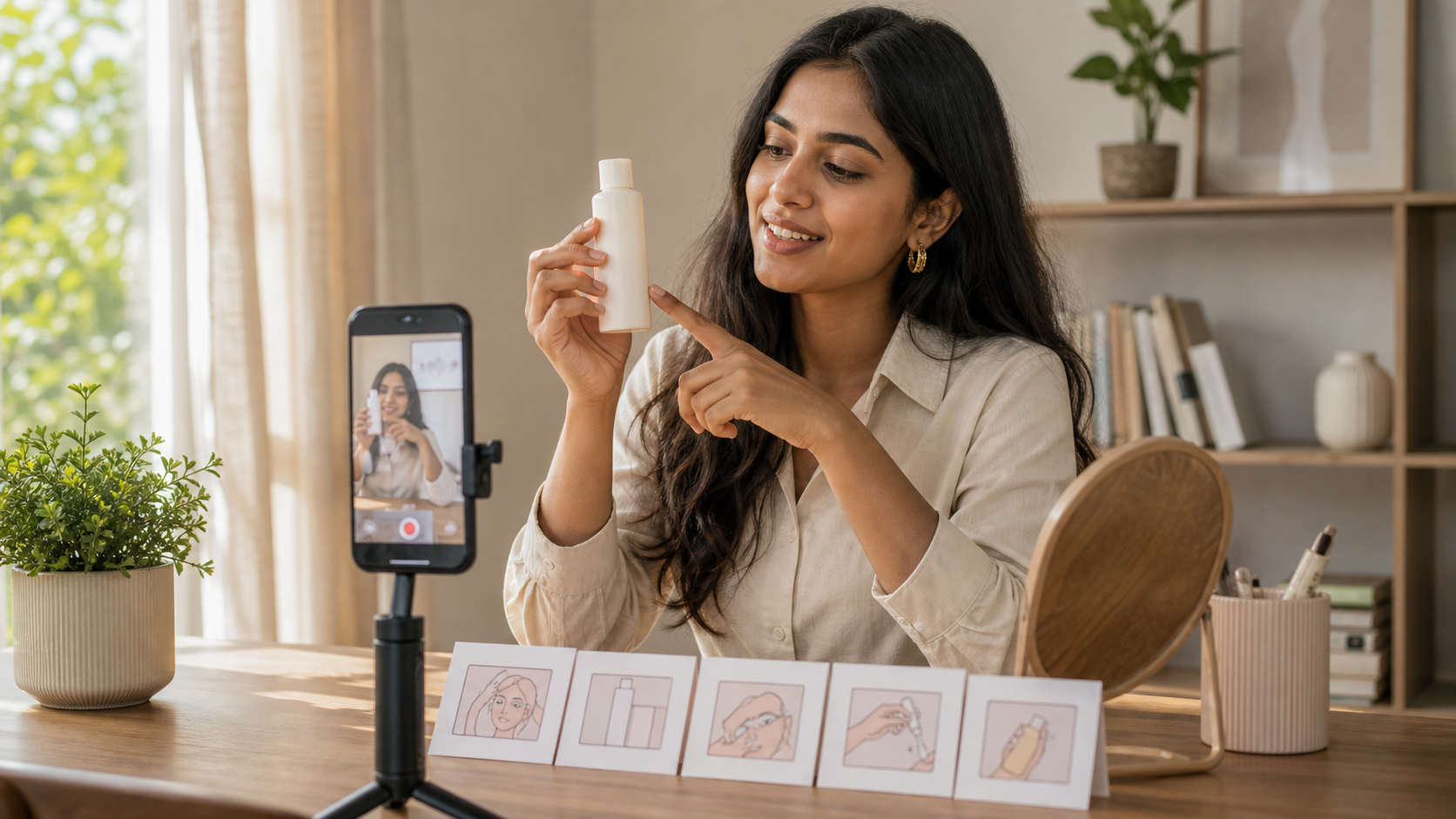
Indian creator filming a vertical product video beside a planned UGC shot list

What is a UGC video shot list?

A UGC video shot list is a scene-by-scene checklist for creator-style product footage. It tells the creator what the camera must see, what action happens, what message the clip supports, and which format to use. Unlike a script, it covers silent product footage and visual proof as well as spoken lines, giving the editor enough modular material to assemble and test multiple ads.

Use /blog/ugc-ad-storyboard-template-india when you need to map shots to a finished scene order.

Use /blog/ugc-video-script-examples-india to write the spoken hook, proof, and CTA before filming.

Use /blog/ugc-video-ad-length-india to decide whether the finished sequence needs 6, 15, 30, or 60 seconds.

Create a controlled AI draft in /dashboard/ugc-video when you want to preview the sequence before a creator shoot.

What is the fastest 15-shot list for a D2C product?

Start with a compact 15-shot pack that covers attention, understanding, belief, and action. Record every shot vertically in the same lighting, but vary distance and energy. The goal is not 15 polished mini-ads; it is a library of clean clips that can support a problem-first, demo-first, review-style, or objection-led edit without booking another shoot.

1-3 — Hooks: direct-to-camera question, problem visual, and result-first product reveal.

4 — Clean product reveal: front label visible, no hand covering the pack.

5-7 — Actions: open, use, and close or store the product naturally.

8-9 — Proof: texture or feature close-up, then the relevant finished result.

10 — Objection answer: show size, effort, fit, taste context, or another real hesitation.

11-12 — Reactions: subtle discovery and satisfied post-use moment without fake testimony.

13-14 — Transitions: pick-up or hand-to-lens, then a clean scene change.

15 — CTA: product in hand with one specific next step.

How should you film each UGC shot for easier editing?

Film each action as a separate clip with one second of stillness before and after it. Hold product close-ups for at least three seconds, repeat important actions in wide and close framing, and keep the phone vertical at 1080 by 1920 pixels or higher. Clean handles give editors room to cut without freezing awkward expressions or losing the product reveal.

Lock exposure and focus when the phone allows it, especially for reflective packaging.

Keep the product label facing camera and compare every clip with the approved SKU.

Record room tone plus a clean voice take; avoid music playing in the background.

Leave the top and bottom interface zones free of essential product details and captions.

Say each spoken line three ways: neutral, faster, and more conversational.

Follow /blog/instagram-reels-size-ugc-ads-india for vertical crop and safe-zone checks.

Which shots should change by product category?

Keep the 15-shot structure, but change the proof action to match the buyer's real hesitation. Skincare needs texture and application clarity; food needs serving context and an honest sensory description; fashion needs fit, movement, and fabric detail; home products need setup and scale. A generic unboxing cannot replace the visual evidence a category requires.

Skincare: pack seal, amount dispensed, texture, application area, and routine order; avoid unsupported before-and-after claims.

Food and beverage: intact pack, preparation, portion, texture, and realistic consumption context.

Fashion: front, side, back, fabric close-up, movement, closure, pocket, and size-reference shots.

Home utility: problem state, setup, one continuous demonstration, cleanup, storage, and scale cue.

Apps: first screen, one core task, visible result, and CTA; hide personal information and notifications.

How do you turn one shot list into several ad variations?

Build one approved baseline, then change one opening or proof choice at a time. For example, keep the same product actions, offer, CTA, creator, and landing page while testing a question hook against a demo-first hook. Modular footage makes this possible without disguising several simultaneous changes as a valid test.

Edit A: problem visual, spoken explanation, product action, proof, CTA.

Edit B: product action first, same explanation, same proof, same CTA.

Edit C: objection question, same product action and proof, same CTA.

Name files by shot and take, such as 03-HOOK-RESULT-T2 and 08-PROOF-TEXTURE-T1.

Use /blog/ugc-video-generator-ad-variations-india to keep the test variable controlled.

Why do UGC video shot lists fail?

Shot lists fail when they describe vague moods instead of observable actions, capture only talking-head footage, or ask for too many actions in one take. They also fail when the creator cannot identify the correct SKU, claim boundary, crop, or CTA. A shorter list with clear framing, product handling, and acceptance criteria is more useful than 40 ambiguous ideas.

Vague direction: replace 'show the lifestyle' with a specific location, action, framing, and product state.

No edit handles: avoid starting the action before recording or stopping immediately after it.

Missing proof: capture the detail that makes the promise believable, not only a smiling reaction.

Continuity errors: keep product state, wardrobe, light direction, and hand position consistent within a sequence.

False experience: do not script a real-customer claim for a creator or synthetic person who did not have that experience.

UGC shot-list decision table

Buyer needs
Must-have shot
Avoid
Understand the product
One uninterrupted use demonstration
Five rapid beauty shots with no clear action
Believe a feature
Close-up visual proof tied to the approved claim
A generic smile or invented result
Judge fit or scale
Wide view plus a familiar size reference
Only macro shots
Overcome an objection
Show the exact effort, texture, setup, or storage concern
Answering a different hesitation
Know what to do next
Product-visible CTA with one action
Several offers and competing buttons

Best For

Indian D2C teams planning creator shoot days

Agencies that need modular footage for several controlled edits

Creators who want precise deliverables and fewer reshoots

Brands previewing UGC sequences with AI before production

Not Ideal For

Fabricated testimonials, endorsements, reviews, or personal product results

Productions without an approved SKU, claim set, offer, and CTA

Complex safety demonstrations that require a qualified production team

Publishing clips without checking product, audio, crop, continuity, and rights

Examples

Skincare serum: question hook, clean bottle reveal, dropper close-up, one-cheek application, texture finish, routine placement, and shop CTA.
Packaged snack: craving hook, sealed pack, tear, pour, texture close-up, realistic desk context, flavour description, and offer CTA.
Kurta: mirror reveal, front-side-back fit, sleeve and fabric detail, walking movement, pocket check, occasion context, and size-guide CTA.
Cleaning tool: visible problem, assembly, continuous cleaning pass, collected debris close-up, rinse or storage, and product-page CTA.

FAQs

How many shots should a UGC video have?

A finished 15-to-30-second UGC ad often uses five to ten clips, but the shoot should capture about 15 modular shots plus alternate takes. That gives the editor enough hooks, demonstrations, proof, reactions, transitions, and CTA options without turning the shoot into an unreviewable library.

What shots do I need for a UGC product video?

Capture three hooks, a clean product reveal, three product actions, two proof shots, one objection answer, two natural reactions, two transitions, and one CTA. Add category-specific detail shots for texture, fit, scale, setup, or the product's main buying hesitation.

Should a UGC shot list include dialogue?

Yes. Pair spoken hook, objection, proof, and CTA lines with silent product footage. Record clean voice takes separately when possible, because editors can place that audio over demonstrations and close-ups without forcing every clip to be direct-to-camera.

How long should each UGC shot be?

Record most actions for three to five seconds and longer demonstrations as one uninterrupted take. Leave about one second of stillness before and after each action. The final edit may use only a fraction of the clip, but those clean handles make precise cuts possible.

Can I use AI to plan a UGC video shot list?

Yes. AI can turn an approved brief and script into shot options or a draft sequence. A person should still review product accuracy, feasibility, claims, safety, creator rights, crop, and whether each shot provides real evidence rather than invented experience.

Can AI UGC replace real creators?

AI UGC is best for fast creative testing, early campaign drafts, hook exploration, and low-cost content volume. Real creators still matter for influencer distribution, creator trust, and testimonial rights.

Does AI UGC work for Indian audiences?

It can work well when the prompt includes Indian personas, local language, realistic home settings, product-in-hand moments, and duration-safe dialogue instead of generic global stock-style scenes.

What assets do I need to start?

A product name, a short product brief, and ideally one clean product image are enough to generate the first AI UGC video or product visual.