Image To Video Ads

AI UGC WorkflowBy Indian UGC Team10 min read

Product Image to Video AI Ads for Indian D2C Brands

A product image to video AI workflow turns one clean product photo into a short motion ad by using the image as the product reference and the prompt as the creative brief. For Indian D2C brands, the fastest path is one product image, one buyer hesitation, one local setting, one product action, and one short creator-style line.

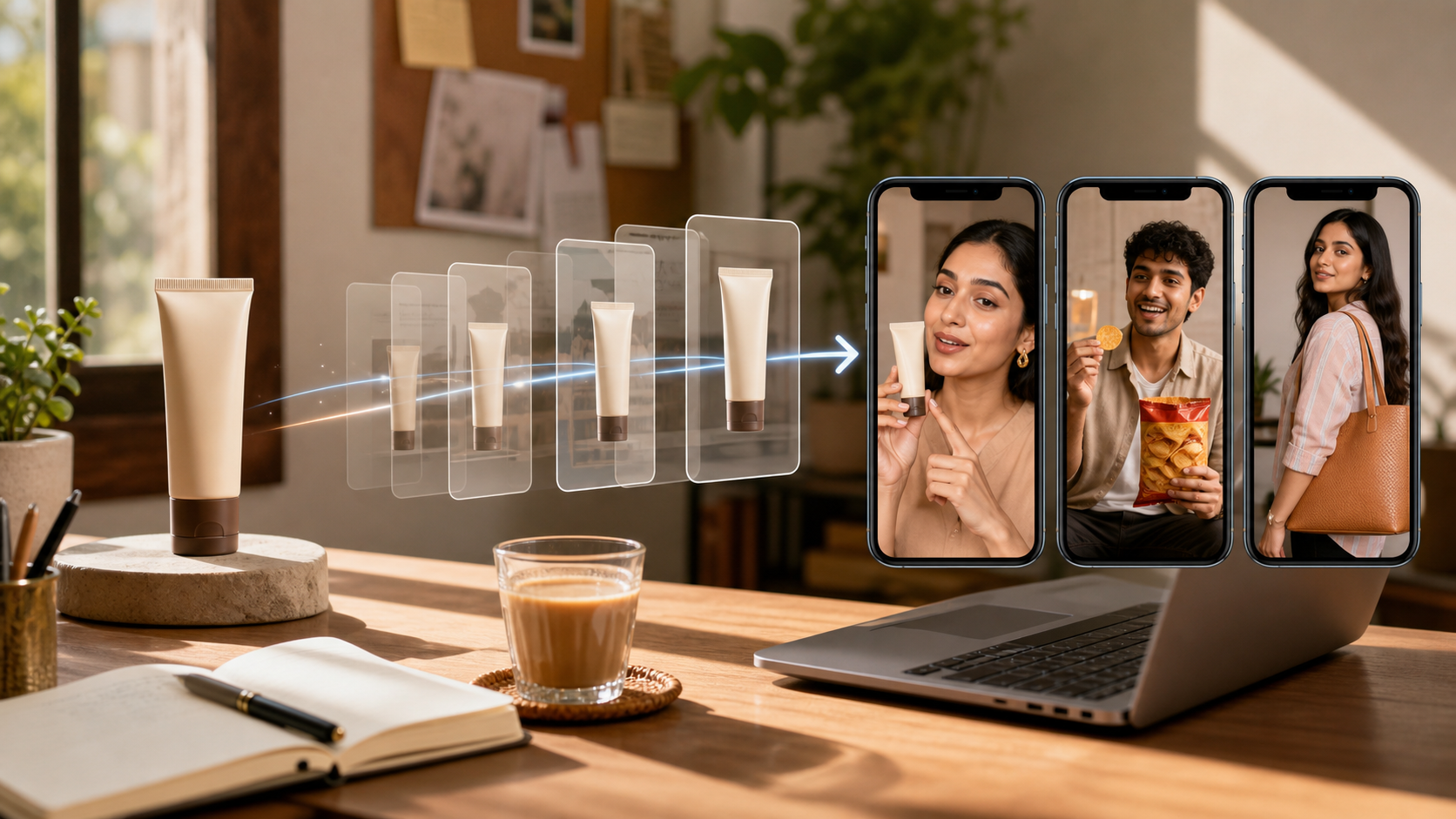
Indian ecommerce product image turning into AI UGC video ad previews on mobile screens

What is product image to video AI?

Product image to video AI is a workflow where a product photo anchors the item, while the prompt defines the creator, Indian setting, product action, camera movement, spoken line, and CTA. It is most useful when a brand has a decent packshot but needs quick creator-style video drafts before hiring creators or booking a shoot.

Start from the product-video tool page when you need the generator view: /ai-product-video-generator-from-image

Use the broader AI UGC video page if you do not have a product image yet: /ai-ugc-video-generator

Generate the first draft in the UGC video studio: /dashboard/ugc-video

Which product image should you use first?

Use the image that makes the product easiest to recognize in motion. A clean front-facing packshot is usually better than a busy lifestyle photo for the first AI video ad. Once the model understands shape, color, and packaging, create separate variants for creator hands, kitchen counters, vanity tables, fashion mirrors, or office desks.

Best first input: high-resolution packshot, clear edges, simple background, visible product shape

Risky input: small marketplace thumbnail, reflective label, cluttered table, or tiny text-heavy packaging

For still-image variants before video, use /blog/ai-product-photography-for-ecommerce-india

How do you write the first image-to-video ad prompt?

Write the prompt as a short production instruction, not a full film script. The simplest formula is: product image plus buyer hesitation plus Indian setting plus creator persona plus one product action plus two spoken lines plus no readable text overlays. If the idea needs three scenes, split it into three videos instead of crowding one generation.

Beauty: creator at a vanity table shows texture, then says one practical benefit

Food and beverage: kitchen counter, pour or first bite, one natural reaction line

Fashion: mirror try-on, fabric or fit detail, one styling cue

Home product: messy-before setup, product use, small reveal

For script structures, use /blog/ugc-video-script-examples-india

Why do product-photo AI video ads fail?

Most product-photo AI video ads fail because the prompt asks for too much: exact packaging text, multiple rooms, readable captions, long dialogue, heavy claims, and perfect hand interaction. Keep the first test small. Review product accuracy, motion quality, claim safety, and mobile readability before you spend media budget on the asset.

Source note: Meta video ad format guidance emphasizes mobile-first video assets, facebook.com/business/ads/video-ad-format

Source note: Google's ABCD video framework focuses on attention, branding, connection, and direction, support.google.com/google-ads/answer/14783551

Use /blog/ad-creative-testing-india to decide whether the next variant should test hook, language, or offer

When should you generate video instead of static ads?

Generate video when the buyer needs to see use, texture, taste, fit, routine, or trust. Use static ads when the product photo is already clear and the missing piece is offer framing, benefit hierarchy, or retargeting volume. The best performance workflow usually uses video to explain and static creative to remind.

Video first: skincare texture, snack reaction, apparel fit, home product demo, founder explanation

Static first: simple discount, bundle offer, marketplace retargeting, packshot-led launch

Create static follow-ups in /dashboard/static-ads once the winning video angle is clear

Product image to video decision table

Input or goal
Best first ad
Failure check
Clean product packshot
Creator-style product-in-hand demo
Does the product still look recognizable?
Beauty or wellness item
Vanity routine or first-use walkthrough
Are claims practical and review-safe?
Food or beverage SKU
Pour, bite, sip, or kitchen counter reaction
Does the texture look believable?
Fashion product
Mirror try-on or fabric-detail clip
Does fit, scale, and styling make sense?
Offer already clear
Static ad plus one short video proof
Is the CTA visible without crowding the clip?

Best For

Indian D2C founders with product photos but no creator footage

Meta ad buyers testing product-in-hand concepts quickly

Agencies turning packshots into first-round UGC drafts

Ecommerce teams deciding which products deserve filmed creator shoots

Not Ideal For

Exact label reproduction without manual review

Legal testimonials or before-after claims

Complex multi-location ad films

Main marketplace packshots that need strict platform compliance

Examples

Serum packshot to vanity-table creator demo with one texture line.
Mango lassi bottle image to kitchen-counter first-sip video.
Kurta product photo to mirror try-on clip with one fit comment.
Spice box image to cooking-prep scene with one aroma or convenience line.
Copper bottle photo to desk or breakfast-table routine video.
Protein snack packshot to office-desk bite reaction for retargeting.

FAQs

Can AI turn a product image into a video ad?

Yes. AI can use a product image as a reference and generate a short video ad when the prompt clearly defines the creator, setting, product action, camera movement, and spoken line. Review every output for product accuracy before using it in paid campaigns.

What is the best prompt for product image to video AI?

Use one product image, one buyer problem, one Indian setting, one creator persona, one product action, and one or two short spoken lines. Avoid long scripts, multiple locations, readable text overlays, and exact packaging demands.

Should I use image to video AI or hire a UGC creator?

Use image to video AI first when you need speed, angle testing, or many early drafts. Hire a UGC creator when you need real product handling, personal credibility, creator posting, or final assets with human trust.

Why does my product look wrong in AI videos?

The usual causes are a weak source image, reflective packaging, tiny label details, cluttered backgrounds, too much hand interaction, or an overloaded prompt. Start with a clean product image and one simple product action.

What should Indian brands test after the first video?

Test one variable at a time: hook, language, setting, buyer hesitation, creator persona, or offer. If the video explains the product well, turn the winning angle into static retargeting ads instead of making another random video.

Can AI UGC replace real creators?

AI UGC is best for fast creative testing, early campaign drafts, hook exploration, and low-cost content volume. Real creators still matter for influencer distribution, creator trust, and testimonial rights.

Does AI UGC work for Indian audiences?

It can work well when the prompt includes Indian personas, local language, realistic home settings, product-in-hand moments, and duration-safe dialogue instead of generic global stock-style scenes.

What assets do I need to start?

A product name, a short product brief, and ideally one clean product image are enough to generate the first AI UGC video or product visual.