UGC Post-Production

UGC ProductionBy Indian UGC Team9 min read

UGC Video Editing Checklist for Indian D2C Ads

UGC video editing turns raw creator-style footage into a short ad that is easy to understand on a phone. Start with the strongest visible product moment, remove pauses, keep one idea per beat, add accurate captions, support every claim with proof, and end with one destination-matched CTA. Review the product, language, crop, audio, offer, and export before launch.

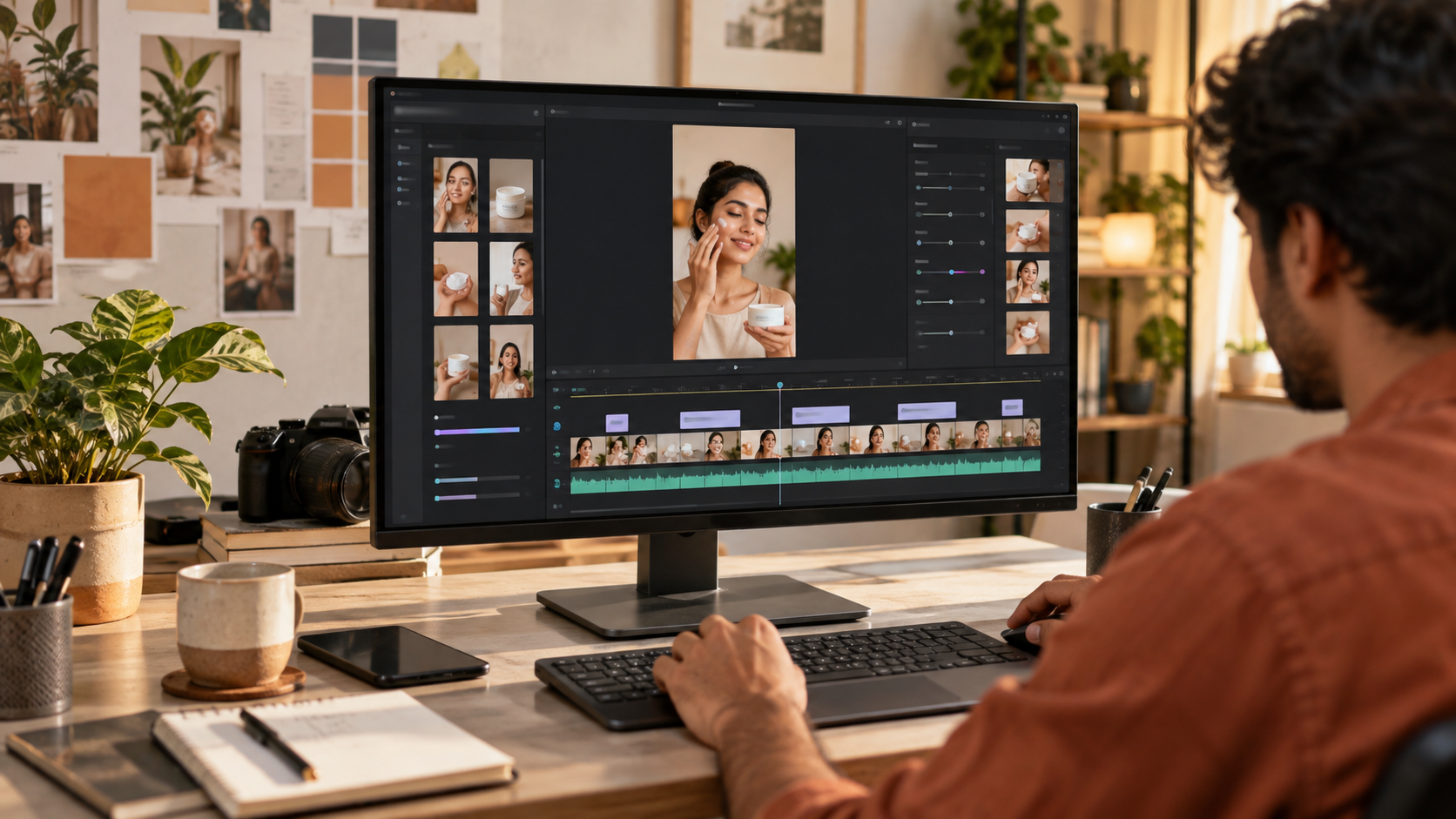
Indian D2C team reviewing a vertical UGC video edit with clips, captions, product shots, and audio waveforms

What is UGC video editing?

UGC video editing is the process of selecting, arranging, trimming, captioning, and reviewing creator-style footage for organic content or paid ads. A useful edit preserves the speaker's natural delivery while making the buyer problem, product action, proof, and next step obvious. It is not about adding constant effects; it is about removing every second that does not improve clarity or belief.

For the production inputs, start with /blog/ugc-video-shot-list-india so the editor receives modular hooks, demonstrations, proof, reactions, and CTA clips.

For the message structure, use /blog/ugc-script-template-india before trying to repair a weak argument in the timeline.

Use /dashboard/ugc-video when you need an AI UGC draft to test the scene and pacing before a larger production.

What is the fastest UGC editing workflow?

Build a rough 15-second argument before polishing anything: hook, product action, proof, and CTA. Watch it once without sound and once without looking at captions. If the product or promise is unclear in either pass, fix the sequence first. Only then add captions, sound design, colour correction, transitions, brand elements, and alternate aspect ratios.

1. Ingest and label clips by hook, product action, proof, objection, reaction, and CTA.

2. Assemble one clear baseline with no music, effects, or decorative transitions.

3. Cut dead air, repeated claims, weak reactions, and any shot that hides the product.

4. Add mobile-readable captions and verify every spoken word, price, and product name.

5. Balance voice, music, and sound effects; the dialogue must remain intelligible on a phone speaker.

6. Review product truth, claims, crop, offer, CTA, destination page, and export settings.

How should you edit the first three seconds?

Open with the fastest combination of buyer relevance and visible product evidence. Put the product, result, problem, or surprising action on screen immediately, then let the spoken line add meaning. Avoid a logo animation, greeting, creator introduction, or slow parcel reveal unless that moment is the actual reason to keep watching.

Problem-led: show the friction while the creator names the exact buyer hesitation.

Demo-led: start mid-action with the product already solving a visible task.

Result-led: show the credible outcome first, then explain the product action that produced it.

Comparison-led: place the meaningful difference on screen without making an unsupported superiority claim.

Keep the proof sequence stable when testing opening variations; /blog/ugc-hooks-examples-india provides hook patterns without requiring a new edit structure.

How do you make UGC captions readable on mobile?

Use short caption phrases that can be read before the next cut. Keep them inside the central safe area, away from platform buttons, lower-third descriptions, and product details. Correct Hinglish and regional-language words manually; automatic transcription often damages names, code-mixed speech, prices, and product terms. Caption meaning faithfully instead of rewriting the claim during editing.

Break lines at natural phrase boundaries rather than filling a fixed character count.

Use strong contrast and a restrained type style that remains legible over busy footage.

Highlight one useful word only when it helps scanning; do not animate every syllable.

Check mixed-language scripts with a fluent reviewer and follow /blog/regional-language-video-subtitles-ugc-ads-india for subtitle adaptation and QA.

How should product proof and claims be edited?

Place the proof beside the claim whenever possible. If the creator mentions texture, fit, setup, quantity, speed, or packaging, show the relevant close-up or action at that moment. Remove invented results, fabricated testimonials, unverifiable guarantees, and demonstrations the product cannot reproduce. Editing can clarify evidence; it cannot manufacture evidence.

Compare the edited SKU, pack, colour, label, quantity, texture, and use with approved references.

Keep before-and-after frames comparable in angle, light, crop, and timing when the category allows them.

Confirm price, discount, dates, availability, and disclaimers against the current destination page.

Use /blog/ai-ugc-ad-compliance-checklist-india for a broader pre-launch review of claims, disclosure, synthetic people, and approvals.

What should the final UGC video QA check include?

Review the final export as a buyer would see it: on a phone, at normal speed, once muted, and once through the device speaker. The ad should identify the product quickly, make one believable argument, preserve accurate captions and product details, and send the viewer to a page that continues the same promise. A technically clean file is still a failed edit if the message or offer changes midstream.

Story: the hook, demonstration, proof, objection, and CTA form one argument.

Truth: product, creator context, claims, prices, offers, and disclosures are accurate.

Mobile: captions, faces, product details, and CTA remain inside safe areas.

Audio: speech is clear, music does not mask words, and cuts do not create clicks or jumps.

Continuity: hands, packaging, product state, wardrobe, light, and location do not change impossibly.

Export: correct aspect ratio, resolution, frame rate, file size, filename, and reviewed final version.

Why do edited UGC ads still feel fake?

UGC ads feel fake when the edit removes every human pause, stacks exaggerated reactions, hides the product behind fast cuts, adds trend effects unrelated to the buyer, or pairs a polished voiceover with visibly mismatched lip movement. Keep small signs of natural delivery, but remove confusion. Believability comes from a specific problem, visible product action, accurate proof, and consistent creator context—not from deliberately poor production.

Over-editing: constant zooms, emojis, sound effects, and captions compete with the product.

Under-editing: long pauses, repeated lines, weak openings, and missing proof waste attention.

Continuity drift: the product, hand, room, lighting, or outfit changes between generated shots.

Message drift: the hook promises one benefit while the proof and landing page sell another.

Test drift: hook, edit pace, music, offer, and CTA all change at once, so the result teaches nothing.

UGC video editing decision table

Editing problem
Fix first
Do not hide it with
Weak opening
Lead with product action or buyer problem
Logo sting or faster music
Product is unclear
Add a clean reveal and use shot
More talking-head footage
Dialogue feels slow
Remove pauses and repeated ideas
Speeding speech until it sounds unnatural
Captions are hard to read
Shorten phrases and protect safe areas
More colours and bouncing words
Claim feels unbelievable
Pair it with accurate visual proof or soften it
Stock footage or fabricated results
AI clips do not match
Regenerate the drifting shot or simplify the sequence
A transition between continuity errors
Ad gets clicks but weak sales
Check offer and landing-page continuity
Another export preset

Best For

Indian D2C teams editing creator-shot or AI-generated paid-social ads

Creators delivering clean, reviewable brand assets

Agencies standardising edits across products, languages, and editors

Performance marketers building controlled hook and pacing variants

Not Ideal For

Disguising fabricated testimonials, endorsements, reviews, or product results

Repairing a missing product demonstration entirely with decorative editing

Launching regional-language captions without fluent human review

Changing several test variables and treating the result as a clean experiment

Examples

Skincare: open on the texture application, show the finish in consistent light, caption the routine claim accurately, and end on the matching product-page action.
Fashion: move from fit hesitation to full silhouette, fabric detail, natural movement, sizing cue, and one shop CTA without changing the garment colour between shots.
Packaged food: begin with the craving or use occasion, show sealed pack and serving action, keep taste language subjective, and verify the pack and offer before export.
Home utility: show the frustrating task, demonstrate one complete product action, use a close-up for the proof point, and cut any reaction that delays understanding.

FAQs

What is UGC video editing?

UGC video editing selects, trims, arranges, captions, mixes, and reviews creator-style footage so the buyer problem, product action, proof, and CTA are clear. The goal is natural, credible communication rather than maximum effects.

How do I edit a UGC video ad?

Build a simple hook-product-proof-CTA sequence, cut dead air and repetition, add accurate mobile-safe captions, balance dialogue above music, verify product details and claims, and review the final export on a phone before launch.

How long should an edited UGC ad be?

Start with 15 to 30 seconds. Use the shortest cut that makes the product, proof, and next step understandable. A familiar product may work in 6 to 15 seconds; a considered product may need one extra demonstration or objection answer.

Should UGC ads have captions?

Usually yes, because many viewers first encounter paid-social video without relying on sound. Captions should be accurate, brief, high-contrast, inside platform-safe areas, and manually checked for product names, prices, Hinglish, and regional-language words.

Why does my edited UGC ad look fake?

Common causes are exaggerated reactions, constant effects, hidden product action, mismatched voice and lips, continuity errors, unsupported claims, and a creator context that does not fit the buyer. Simplify the edit and restore specific, accurate product proof.

Can AI edit UGC videos?

AI can help transcribe, remove pauses, resize, suggest clips, generate draft captions, and create controlled variations. A person should still review product accuracy, claims, language, continuity, disclosure, crop, audio, offer, CTA, and the final export.

Can AI UGC replace real creators?

AI UGC is best for fast creative testing, early campaign drafts, hook exploration, and low-cost content volume. Real creators still matter for influencer distribution, creator trust, and testimonial rights.

Does AI UGC work for Indian audiences?

It can work well when the prompt includes Indian personas, local language, realistic home settings, product-in-hand moments, and duration-safe dialogue instead of generic global stock-style scenes.

What assets do I need to start?

A product name, a short product brief, and ideally one clean product image are enough to generate the first AI UGC video or product visual.