Furniture Ecommerce

AI Product PhotographyBy Indian UGC Team11 min read

AI Furniture Product Photography for Indian Ecommerce

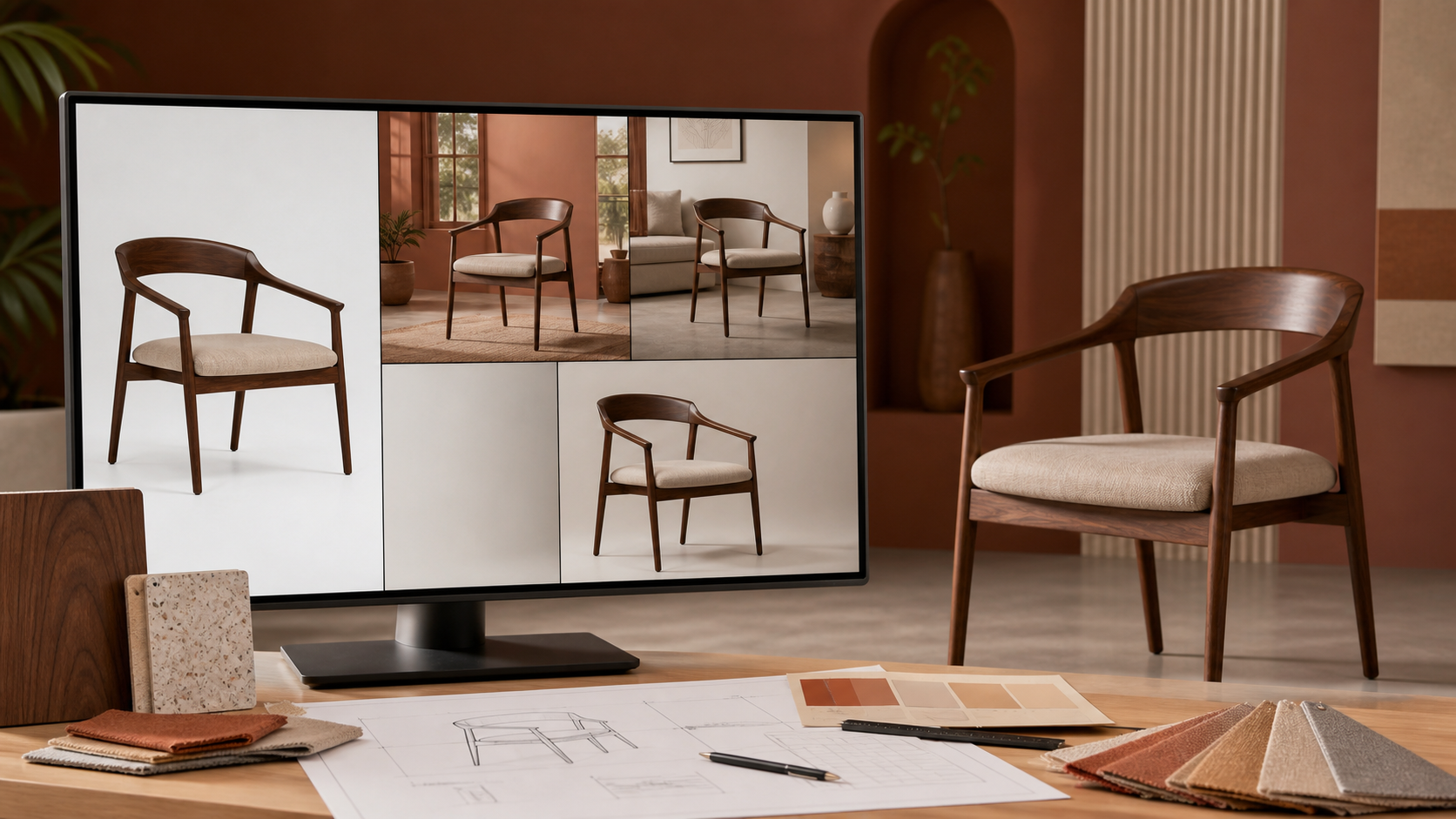
AI furniture product photography works best when an accurate multi-angle source set remains the product truth. Photograph the real piece with dimensions and material references, lock its geometry, generate one room scene at a time, and reject any image that changes proportions, joinery, upholstery, wood grain, hardware, colour, or believable scale.

Walnut chair shown across accurate AI furniture product photography scenes for Indian ecommerce

What is AI furniture product photography?

AI furniture product photography is a controlled image workflow that places an approved photograph or 3D-quality reference of a real chair, sofa, table, bed, or storage unit into new catalog and lifestyle scenes. AI may change the room, styling, crop, and lighting; it should not redesign the SKU or conceal details a buyer needs to evaluate.

Keep a clean front three-quarter master image as the source of truth

Capture side, back, detail, and open-or-closed states when they affect the purchase

Record width, depth, height, seat height, material, finish, and approved colour names

Start with /blog/ai-product-photography-for-ecommerce-india for the broader PDP and ad workflow

What is the fastest safe workflow for AI furniture photos?

Use a six-step workflow: approve the real source set, write a product lock, choose one image job, define one believable room, generate a small batch, and run a side-by-side fidelity review. This produces one useful PDP or campaign visual faster than asking for many decorative rooms and discovering later that every output contains a different product.

1. Approve colour-corrected front, angle, side, back, and detail references

2. Write the non-negotiables: dimensions, silhouette, legs, seams, handles, shelves, grain, and finish

3. Choose one job: scale explanation, material detail, room fit, collection story, or paid-social hook

4. Specify an Indian apartment, bedroom, dining room, office, balcony, or neutral studio only when relevant

5. Generate three to five variations while holding the product description constant

6. Compare the winning frame with the real SKU at full size and phone size

How do you write an AI furniture photography prompt?

A useful furniture prompt separates the locked product from the editable scene. Describe the exact item first, state what cannot change, then add room type, camera angle, scale cues, lighting, styling, crop, and output job. Avoid vague requests such as make it luxurious; they invite the model to redesign the furniture instead of presenting it.

Product: exact SKU, category, dimensions, silhouette, material, colour, leg or handle design, seams, and construction details

Lock: preserve geometry, component count, upholstery pattern, wood tone, hardware, proportions, and logo placement

Scene: compact Mumbai apartment, Bengaluru home office, Indian dining room, neutral studio, or another buyer-relevant context

Camera: eye-level three-quarter view with straight verticals and believable focal length

Scale: doorway, rug, standard side table, or human presence only when it clarifies dimensions

Output: PDP lifestyle image, marketplace supporting image, room-set banner, or static ad background

Use /blog/ai-product-photography-backgrounds-india when choosing the room is the main problem

How should furniture scale and perspective be checked?

Furniture images feel false when the room and object disagree about scale or perspective. Check that vertical lines remain upright, floor contact is convincing, shadows follow the same light, and known dimensions agree with doors, rugs, people, and nearby objects. Never use a generated room image as the only evidence of exact size.

Show dimension diagrams or written measurements beside lifestyle images on the PDP

Reject stretched seats, shortened legs, impossible drawers, floating feet, and mismatched vanishing points

Avoid tiny rooms that make a sofa look smaller or oversized props that make it look larger

Keep camera height and angle consistent across colour or finish variants

Use /blog/ai-product-photography-lifestyle-images-india to give every scene a clear buyer question

How do you preserve wood, fabric, and finish accuracy?

Material accuracy requires close source references, not adjectives alone. Photograph wood grain, veneer joins, fabric weave, stitching, leather texture, metal finish, and colour under neutral light. Compare generated images with approved swatches and reject invented knots, repeated textures, changed sheen, missing seams, or upholstery that suggests a different material grade.

Wood: protect grain direction, edge profile, joinery, stain colour, and matte or gloss finish

Fabric: protect weave, pile, seam path, piping, tuft count, and approved colour

Metal: protect profile thickness, weld or joint location, coating colour, and reflectivity

Storage: verify door count, handle shape, shelf layout, hinges, and open-state mechanics

Do not imply stain resistance, durability, load capacity, or material origin unless the product specification supports it

Which furniture images should be real, AI-assisted, or generated?

Keep the main catalog evidence closest to reality and use AI where context adds value. A real or carefully retouched packshot should anchor the PDP. AI-assisted room scenes can explain fit and style. More expressive generated compositions belong in ads only after the product has passed a strict SKU review.

Main PDP image: real studio or tightly controlled retouched image on a neutral background

Detail images: real close-ups for materials, joinery, mechanisms, labels, and finish

Lifestyle PDP image: AI-assisted only when geometry, scale, and material remain accurate

Marketplace supporting image: follow the marketplace's current image rules and keep claims verifiable

Paid-social image: allow stronger styling, then add approved offer and typography in /dashboard/static-ads

Why do AI furniture photos look fake?

AI furniture photos usually fail because the prompt describes a mood but does not lock the product. The output may look polished while changing the armrest, leg count, cushion seams, grain, handle, shelf spacing, or overall size. The fastest fix is a stronger source set and a shorter scene brief, not more decorative prompt language.

Wrong geometry: restate the silhouette and component count, then regenerate from the clearest angle

Fake scale: simplify the room and add one trustworthy scale cue

Plastic-looking wood or fabric: use close material references and gentler lighting

Floating product: specify floor contact and a consistent shadow direction

Unreadable generated labels or dimensions: add controlled text during layout instead

Changed SKU across variants: approve one base image before changing rooms, crops, or styling

Furniture photography decision table

Image job
Best production method
Must-pass check
Main PDP packshot
Real studio photo or precise retouch
Exact SKU, colour, proportions, and finish
Material or mechanism detail
Real close-up
Grain, weave, joinery, hardware, and operation
Room-scale explanation
AI-assisted lifestyle scene plus dimensions
Perspective and scale cues agree with specifications
Collection room set
Controlled AI-assisted scene
Every SKU remains distinct and accurate
Marketplace supporting image
Compliant composite or lifestyle image
Current platform rules and verifiable claims
Paid-social static
Approved product visual plus designed layout
Phone clarity, accurate product, offer, and CTA

Best For

Indian furniture and home-decor brands expanding PDP lifestyle imagery

Ecommerce catalog teams producing room variations from approved source images

Performance marketers turning accurate furniture visuals into static ads

Brands testing room styles before commissioning a full location shoot

Not Ideal For

Replacing dimension diagrams, specifications, or real material close-ups

Inventing product configurations, finishes, storage, or load claims

Using generated rooms as proof that an item fits a specific home

Publishing outputs without a side-by-side SKU and perspective review

Examples

Sofa: preserve module count, arm shape, cushion seams, leg height, fabric weave, and true width while testing compact-apartment scenes.
Dining table: keep tabletop thickness, edge profile, leg placement, wood grain, and seating capacity consistent across room sets.
Office chair: show real controls and mechanisms in close-ups; use AI only for approved office contexts and ad backgrounds.
Wardrobe: preserve door count, handles, interior shelf layout, mirror placement, and opening clearance.

FAQs

Can AI create furniture product photos?

Yes. AI can create or edit furniture product photos for room scenes, backgrounds, crops, and ads when it starts from accurate references. Keep real packshots, dimensions, and material close-ups as the source of truth, and reject outputs that change geometry, colour, construction, texture, or scale.

What photos do I need before generating AI furniture scenes?

Capture a colour-corrected front three-quarter image plus side, back, detail, and open-or-closed states where relevant. Record dimensions, materials, finish, approved colours, hardware, seams, joinery, and any feature the model must preserve.

How do I make AI furniture photos look realistic?

Lock the product geometry and materials, use one believable room, keep camera perspective consistent, add trustworthy scale cues, and match floor contact, shadows, and lighting. Compare the result with the real SKU at full size before publishing it.

Can AI furniture photography replace a studio shoot?

It can reduce the number of location and room-set variations, but it should not replace accurate packshots, material details, dimensions, or mechanism evidence. Use real photography for product truth and AI for controlled presentation variants.

What is the best AI furniture image to create first?

Create one lifestyle image that answers the biggest buying hesitation, such as room fit, scale, storage use, or styling compatibility. Approve product fidelity first, then adapt that same image into a PDP supporting visual or static ad.

Can AI product photography replace a studio shoot?

For ecommerce testing, PDP refreshes, lifestyle scenes, and paid social variants, AI product photography can reduce dependence on studio shoots. High-stakes hero campaigns may still need a real shoot.

Is AI product photography useful for Indian marketplaces?

Yes, especially for lifestyle scenes, social ads, secondary PDP images, and category-specific visuals. Marketplace main images may still need strict compliance checks.

Can I generate product videos from one image?

Yes. A product image can guide the product appearance while the prompt defines the scene, creator, camera movement, and action.