Jewellery Ecommerce

AI Product PhotographyBy Indian UGC Team10 min read

AI Jewellery Product Photography for Indian Ecommerce

AI jewellery product photography works best as a controlled variation workflow, not a replacement for an accurate master image. Start with sharp, colour-corrected photos of the real piece, lock the product geometry, generate one scene at a time, and reject any output that changes the stone count, setting, chain, clasp, hallmark, scale, or metal tone.

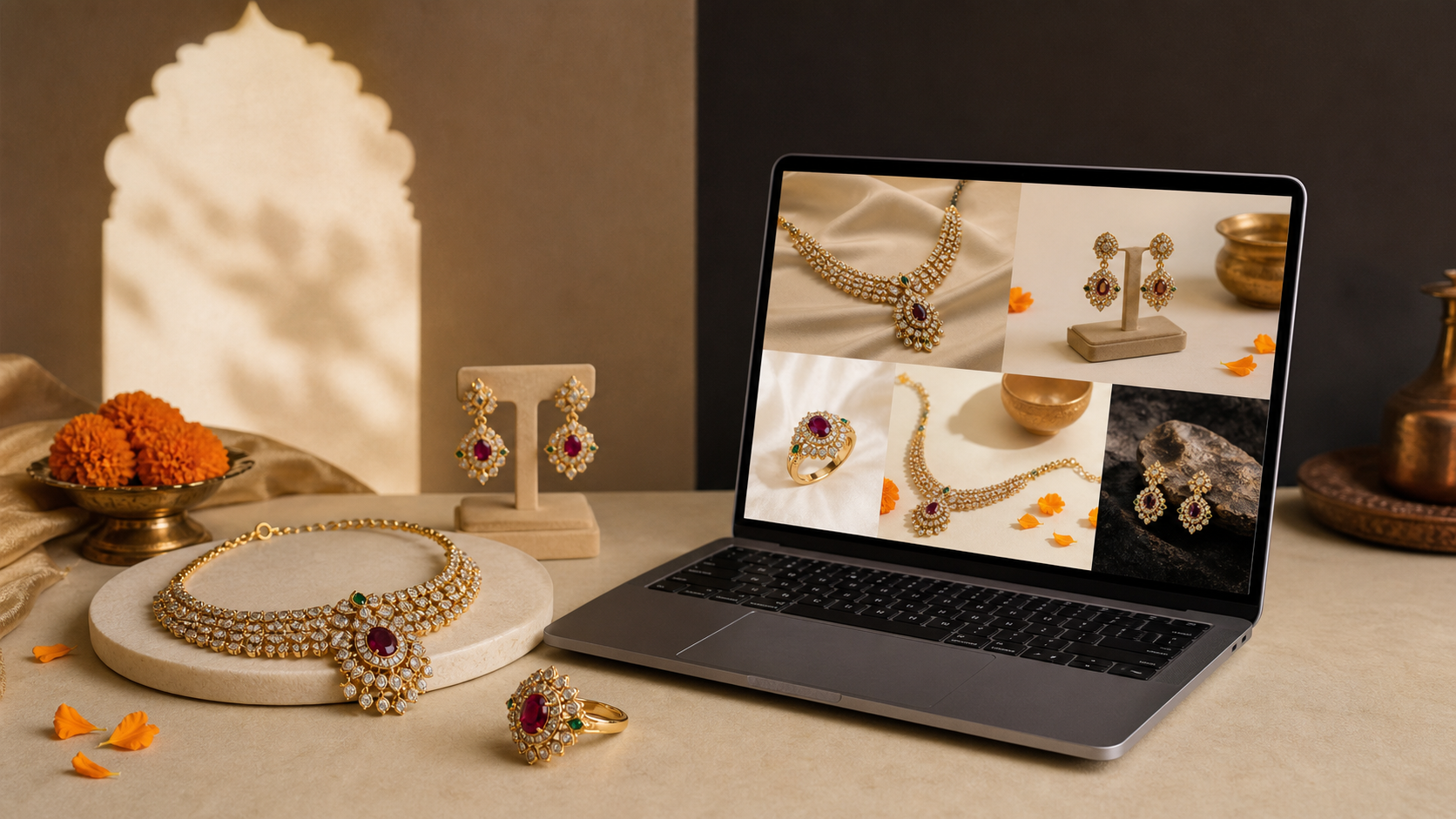
Gold necklace, ring, and earrings beside AI jewellery product photography previews for Indian ecommerce

What is AI jewellery product photography?

AI jewellery product photography is the use of generative or editing tools to turn approved photographs of a real necklace, ring, bracelet, or pair of earrings into new backgrounds, model-led scenes, crops, and ad variations. The real product image remains the source of truth; AI should change the presentation without redesigning the piece.

Use a traditional shoot or careful phone setup to create the accurate master image

Use AI to test backgrounds, styling, crops, shadows, and campaign scenes

Keep catalog images literal and reserve more expressive scenes for social ads

Start with /blog/ai-product-photography-for-ecommerce-india for the broader ecommerce workflow

What is the fastest safe workflow for jewellery product photos?

Use a five-step sequence: capture, clean, generate, compare, and export. This reduces effort because every new image comes from one approved product master, while the compare step catches expensive errors before a false detail reaches a PDP, marketplace listing, or paid campaign.

Capture: photograph the front, side, back, clasp, setting, and scale reference in soft diffused light

Clean: remove dust and the background without smoothing engravings or changing edges

Generate: request one background, crop, and use case per variation

Compare: inspect stone count, prongs, links, clasp, hallmark, dimensions, and metal colour beside the real piece

Export: create separate files for PDP, marketplace support images, and paid-social tests

Use /blog/ai-background-remover-product-photos-india when the source photo needs a reusable cutout first

How should you photograph the source jewellery?

The source photo determines how much product truth the model can preserve. Use the highest-resolution image available, keep the entire piece sharp, and avoid clipped highlights that erase facets or metal edges. For reflective jewellery, move large white cards around the piece to shape reflections instead of relying on direct flash.

Clean the piece and lens before shooting; AI can amplify dust into invented texture

Use a neutral grey or white background and lock white balance across the set

Photograph matching earrings together and separately

Include a ruler or known-size reference in a private QA frame, not the final campaign image

Shoot important details directly rather than asking AI to invent a macro view

How do you prompt AI jewellery photography without changing the product?

A useful prompt separates fixed product facts from flexible scene choices. Describe the uploaded product as immutable, name the placement and light, request a single camera crop, and list the details that must not change. Generate fewer variables per prompt so a failed output is easy to diagnose.

Formula: preserve [product facts] + place in [scene] + use [lighting] + frame as [crop] + forbid [common errors]

Example: “Preserve the exact ring, oval centre stone, six prongs, side-stone count, yellow-gold tone, and proportions. Place it on warm sandstone with soft window light, 45-degree close-up. No extra stones, text, hands, engraving, or altered band.”

For model shots, define one hand or neckline action and keep the product large enough to inspect

Use the reusable formulas in /blog/ai-product-photography-prompts-india for other product categories

Which jewellery details must pass the fidelity check?

Fidelity means the generated image represents the SKU a buyer will receive. Review the AI output beside the original at high zoom, then check the physical piece when possible. A beautiful image fails if it adds value, hides construction, or creates a different design.

Geometry: silhouette, chain length, band width, symmetry, and proportions

Construction: stone count, prongs, links, closures, posts, hooks, and clasps

Material: yellow, rose, or white metal tone; polish; texture; and gemstone colour

Commercial truth: no invented hallmark, certification, carat claim, engraving, or packaging

Human realism: plausible fingers, ear placement, neckline scale, shadows, and contact points

When should you use a real shoot instead of AI?

Use a real shoot when the image itself must prove craftsmanship, fit, finish, certification, or a unique high-value piece. AI is strongest for scene variation after the product has been documented accurately; it is weaker when the missing information is a detail the camera never captured.

Use real macro photography for gemstones, settings, hallmarks, engraving, and handmade detail

Use real model photography when exact fit, drape, scale, or skin contact drives the purchase

Use AI for seasonal backgrounds, campaign mood, social crops, and early creative testing

Use /blog/ai-product-photography-lifestyle-images-india when the next job is a lifestyle scene

Turn an approved still into an ad concept through /dashboard/static-ads

Why do AI jewellery product photos look fake?

Jewellery images look fake when reflections, scale, contact shadows, and construction disagree. Generators may duplicate stones, melt chain links, float a pendant, bend a ring, or create impossible highlights. Simplify the scene, strengthen the source image, and fix one failure at a time instead of adding more prompt adjectives.

Floating product: add a clear surface and contact-shadow instruction

Wrong scale: provide a model crop or private reference image with a known measurement

Melted links or prongs: use the real macro image rather than generating the detail

Plastic-looking gold: request restrained reflections and neutral colour, then compare with the master

Inconsistent set: approve one lighting recipe and background before generating the full collection

Jewellery product photography decision table

Image job
Best method
Non-negotiable check
Main PDP image
Real product photo with careful retouching
Exact SKU, colour, shape, and finish
Macro detail
Real macro photography
Stone setting, engraving, and construction
Lifestyle background
AI variation from an approved cutout
Product geometry and believable contact shadow
On-model concept
AI for testing; real shoot for high-stakes fit proof
Scale, anatomy, placement, and product accuracy
Seasonal static ad
AI scene plus graphic layout
No invented offer, certification, or product detail
One-of-a-kind high-value piece
Real shoot
Full documentary accuracy

Best For

Indian jewellery brands testing lifestyle scenes before a campaign shoot

Ecommerce teams expanding PDP and paid-social image sets

Catalog teams with accurate product masters and repetitive background work

Performance marketers producing controlled static-ad variations

Not Ideal For

Inventing missing product angles or craftsmanship details

Replacing documentary images for unique or high-value pieces

Publishing without a side-by-side SKU fidelity review

Creating certificates, hallmarks, carat claims, or customer proof

Examples

Ring: preserve the centre-stone cut, prong count, side stones, band width, and metal tone while testing three neutral surfaces.
Necklace: use the real clasp and chain macro on the PDP; generate a separate neckline concept only after checking pendant scale.
Earrings: photograph the pair and each side, then verify that AI has not mirrored an asymmetric design or changed the fastening.
Festive campaign: keep the jewellery literal and vary the marigold, silk, sandstone, or evening-light setting around it.

FAQs

Can AI generate jewellery product photos?

Yes. AI can create backgrounds, lifestyle contexts, model-led concepts, crops, and ad variations from a real jewellery photo. Keep an accurate master image and reject outputs that change the design, stone count, setting, clasp, scale, hallmark, or metal colour.

What is the best background for jewellery photography?

Use white or neutral grey for accurate catalog images. For lifestyle and ad images, choose a restrained surface whose colour and texture do not hide the silhouette or distort the metal and gemstone colour. Test one background recipe before applying it across a collection.

How do I make AI jewellery photos look realistic?

Start with a sharp, colour-corrected source photo; preserve exact product facts; request one simple scene; and review reflections, contact shadows, scale, stone count, links, prongs, clasps, and anatomy. Use real macro photos whenever fine construction must be visible.

Can AI replace a jewellery product photoshoot?

AI can reduce reshoots for backgrounds, campaign scenes, crops, and ad variations, but it should not replace accurate master, macro, hallmark, fit, or craftsmanship images. High-value and one-of-a-kind pieces are usually best documented with a real shoot.

How do I photograph jewellery for AI editing?

Clean the piece, use soft diffused light, lock white balance, keep the full product sharp, and capture front, side, back, clasp, setting, and scale-reference views. Avoid clipped highlights and shoot important details directly rather than asking AI to invent them.

Can AI product photography replace a studio shoot?

For ecommerce testing, PDP refreshes, lifestyle scenes, and paid social variants, AI product photography can reduce dependence on studio shoots. High-stakes hero campaigns may still need a real shoot.

Is AI product photography useful for Indian marketplaces?

Yes, especially for lifestyle scenes, social ads, secondary PDP images, and category-specific visuals. Marketplace main images may still need strict compliance checks.

Can I generate product videos from one image?

Yes. A product image can guide the product appearance while the prompt defines the scene, creator, camera movement, and action.