Controlled Creative Testing

UGC Video GeneratorBy Indian UGC Team10 min read

How to Make UGC Ad Variations Without Ruining the Test

Use a UGC video generator to change one test variable at a time. Lock the product, creator, scene, claim, offer, CTA, and duration; then create three to five versions that change only the hook, opening visual, or spoken line. Review product accuracy before launch and name every file by the variable it tests, so results produce a decision instead of more creative noise.

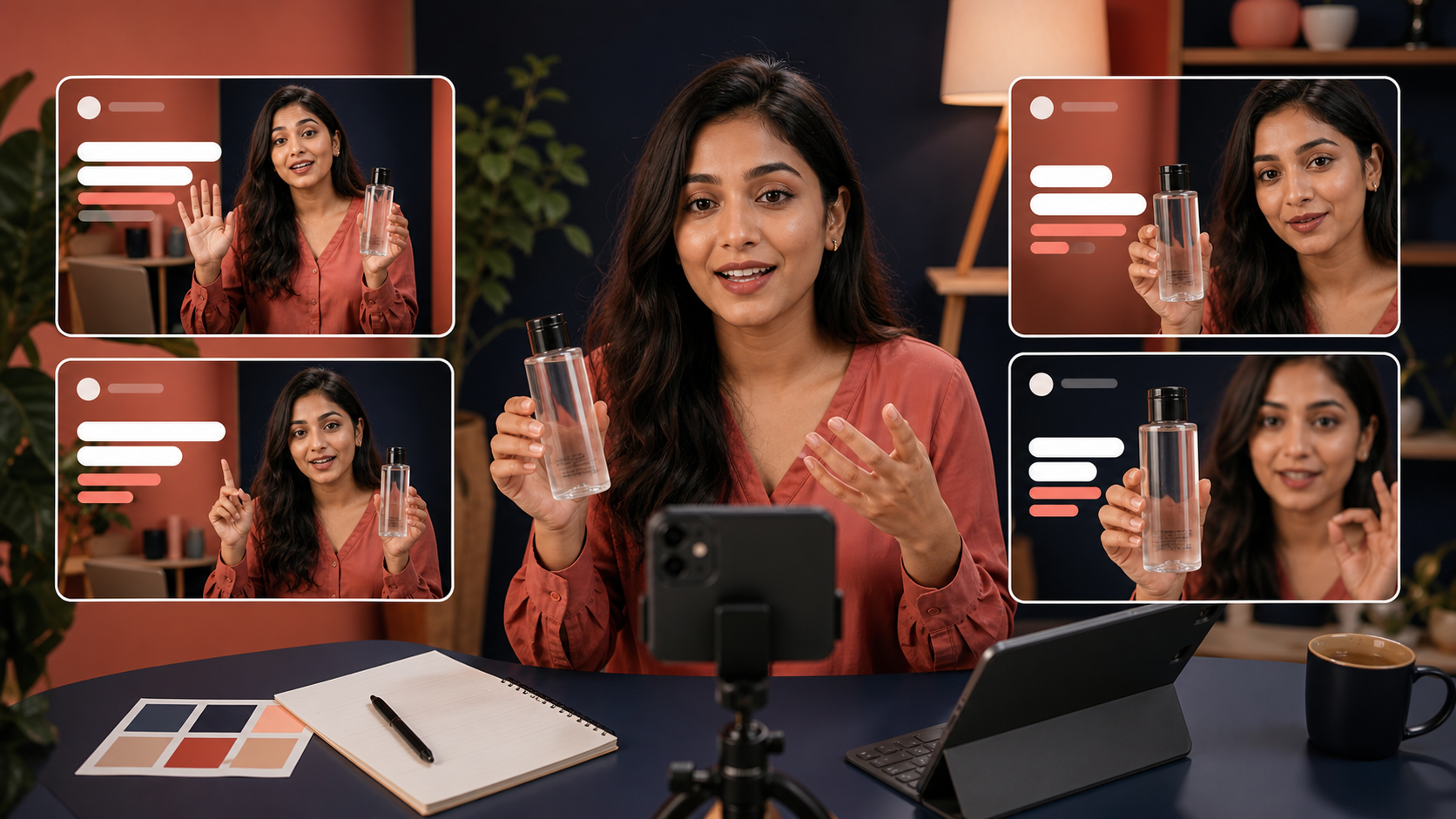
Indian D2C team comparing controlled UGC video ad variations with the same creator and product

What is a controlled UGC ad variation?

A controlled UGC ad variation is a creator-style video that keeps the campaign's core ingredients fixed while changing one meaningful element. The product, audience, promise, proof, offer, CTA, landing page, and media setup stay stable; only the hook, first frame, creator delivery, language, or another declared variable changes. That makes performance differences easier to interpret.

Start with the broader workflow in /blog/ugc-video-generator-first-draft-ads-india if the base concept is not approved yet.

Use /blog/ugc-hooks-examples-india to turn one buyer hesitation into several opening lines.

Use /blog/ugc-video-ad-length-india to choose the shortest runtime that keeps the product action, proof, and CTA clear.

Create the controlled batch in /dashboard/ugc-video after the test card is written.

What is the fastest way to generate useful ad variations?

Write a one-page test card before generating anything: the audience, hesitation, promise, proof moment, product action, offer, CTA, and the single variable allowed to change. Approve one base video, duplicate its prompt, and generate three to five variants. Stop the batch if the tool changes a locked element, because those outputs no longer answer the same question.

1. Choose one buyer hesitation, such as trust, ease of use, fit, taste, or price.

2. Approve one 15-to-30-second base script with one product action and one CTA.

3. Lock creator, location, framing, SKU, claim, proof, offer, CTA, and approximate duration.

4. Change one variable across three to five versions.

5. Run a side-by-side product and message QA before exporting.

6. Label files clearly, such as HOOK-QUESTION, HOOK-DEMO, and HOOK-CONTRARIAN.

Which variable should you test first?

Test the opening hook first when people are not stopping, proof when they watch but do not believe, and the offer or CTA when they understand the product but do not act. Do not default to changing the creator. A new face often changes trust, delivery, setting, pace, and audience fit simultaneously, making the result difficult to diagnose.

Low thumb-stop or early retention: change the first visual or first spoken sentence.

Healthy watch time but weak clicks: change the product argument or proof moment.

Healthy clicks but weak conversion: inspect landing-page continuity, offer, and CTA before generating more videos.

Fatigued winner: preserve the argument and refresh the opening visual, crop, or delivery.

Use /blog/ad-creative-testing-india for the wider testing cadence and scorecard.

Use /blog/creative-iteration-d2c-ads-india to decide what the next version should preserve and change.

How do you prompt a UGC video generator for variations?

Split the prompt into a locked block and a variable block. The locked block describes the exact creator, product reference, setting, camera, action, claim boundary, CTA, and duration. The variable block contains only the new hook or shot. Reusing the same locked language across the batch reduces accidental drift and makes rejected outputs easier to diagnose.

Locked: same Indian creator, daylight kitchen, referenced pack, phone-level 9:16 camera, one pour, approved convenience message, same CTA.

Variant A: open with a direct question about the buyer's morning problem.

Variant B: open on the product action, then deliver the same explanation.

Variant C: open with a specific misconception, then show the same proof.

Keep readable prices, disclaimers, subtitles, and offer text for controlled editing after generation.

Use /blog/ugc-video-generator-prompts-india for a reusable base-prompt structure.

How should you review generated UGC variants?

Review accuracy before aesthetics. Compare every output with the approved SKU and script, then inspect whether the declared variable is the only meaningful change. Reject altered packaging, invented labels, different quantities, unsupported claims, fake reviews, inconsistent actions, or a CTA that no longer matches the landing page. A beautiful invalid variant is still a bad test asset.

Product: shape, colour, size, label layout, closure, texture, and use remain accurate.

Message: promise, proof, price, offer, and qualification stay inside approved copy.

Continuity: hands, product state, background, light, audio, and eyeline do not jump unnaturally.

Format: the hook is visible immediately and captions remain safe inside the platform crop.

Test validity: audience, landing page, campaign objective, and media setup remain comparable.

Why do AI-generated ad batches fail?

AI-generated batches fail when teams mistake volume for learning. Ten unrelated videos create ten explanations for any performance difference. Other common failures are changing the product between clips, inventing testimonials, placing five claims in one script, and generating more assets before checking whether the landing page fulfils the ad's promise. Narrower batches usually produce faster decisions.

Random variation: every video has a different creator, room, hook, proof, and CTA.

Model drift: packaging or product behaviour changes between versions.

False proof: a synthetic person is presented as a real customer with real experience.

No naming system: the media buyer cannot tell what each asset tests.

No stopping rule: the team keeps generating after one variable already has a clear winner.

UGC ad variation decision table

Signal
Change next
Keep fixed
People do not stop
First frame or opening line
Creator, product, proof, offer, CTA
People watch but do not click
Argument or proof moment
Audience, product, offer, landing page
People click but do not buy
Offer continuity or landing page
Winning hook until diagnosis is clear
A winner is fatiguing
Opening visual, crop, or delivery
Core buyer argument and proof
Product changes across outputs
Source asset and prompt constraints
Do not launch the batch

Best For

Indian D2C teams that need weekly creator-style ad refreshes

Performance marketers testing hooks around one proven product argument

Agencies preparing controlled concepts before a creator production day

Brands adapting a winner without losing the reason it worked

Not Ideal For

Fabricated customer testimonials, endorsements, or product experience

Campaigns without an approved product reference, claim set, offer, or landing page

Tests that change creative and media variables at the same time

Publishing generated packaging or product behaviour without human review

Examples

Skincare: keep the serum, vanity, routine-fit message, and CTA fixed; test question, demo-first, and misconception hooks.
Food: keep the pack, serving action, convenience proof, and offer fixed; test office, commute, and morning opening lines only if each targets the same buyer problem.
Fashion: keep the garment, fit proof, creator, and landing page fixed; test mirror reveal, detail close-up, and direct fit question.
Home utility: keep the setup demonstration and CTA fixed; test problem-first, result-first, and objection-first openings.

FAQs

How many UGC ad variations should I generate at once?

Generate three to five controlled variations around one approved concept. That is usually enough to compare a declared variable without creating an unreviewable batch. Make a new batch only after the first result tells you whether to change the hook, proof, offer, or landing-page continuity.

What should I change first in a UGC video ad?

Change the first frame or opening line when people are not stopping. Change the proof or product argument when they watch but do not click. If they click but do not convert, inspect the offer and landing page before generating more videos.

How do I keep AI UGC video variations consistent?

Use the same clean product reference and a prompt with separate locked and variable blocks. Keep the creator, setting, camera, product action, claim, offer, CTA, and duration fixed, then change only the declared hook or shot. Reject any output that alters a locked element.

Can I test different creators in the same ad batch?

You can, but treat creator choice as the variable and keep the script, product action, setting, edit, offer, CTA, audience, and media setup as stable as possible. Otherwise the test cannot show whether the face, delivery, location, or another change caused the result.

Why do AI UGC ad variations change the product?

Product drift usually comes from weak reference images, small products in frame, complex hand motion, scene changes, or prompts that demand too much at once. Use a clean packshot, keep the SKU visible, request one simple action, and compare every output with the real product before launch.

Can AI UGC replace real creators?

AI UGC is best for fast creative testing, early campaign drafts, hook exploration, and low-cost content volume. Real creators still matter for influencer distribution, creator trust, and testimonial rights.

Does AI UGC work for Indian audiences?

It can work well when the prompt includes Indian personas, local language, realistic home settings, product-in-hand moments, and duration-safe dialogue instead of generic global stock-style scenes.

What assets do I need to start?

A product name, a short product brief, and ideally one clean product image are enough to generate the first AI UGC video or product visual.